
We update our cadastre, which is used for the searching and as the background map of CISP and Smart Maps, once a month.
If you search for a SmartMap and get the message "Smart Map Search Failed for Lot/Plan", then follow the following steps.
The Lot/Plan you searched is not in our version of the cadastre yet, however, you can still order it from DNRM.
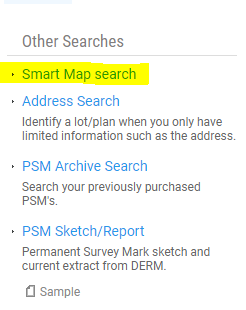
Under the Other Searches heading click 'Smart Map Search'.
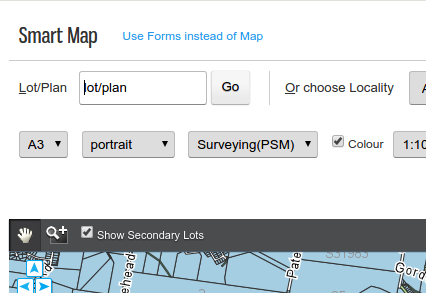
This will load the familiar map in Smart Map. Up the top of the page there is a link to order by a form (rather than use the map).
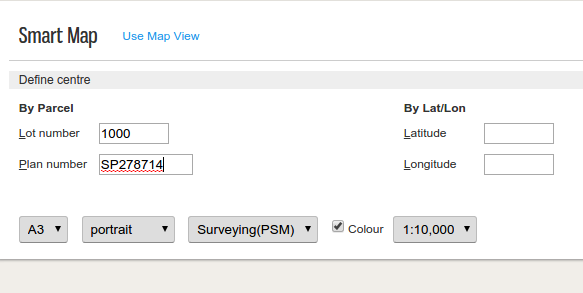
You can then enter the Lot/Plan and order the SmartMap.
Note: The SmartMap is always produced by the State Government using their data. The search and background map on Dye & Durham Terrain are using a monthly copy of DCDB. You will always get a SmartMap of the best available Government data which may be more up to date than the background map on Dye & Durham Terrain.
Comments
0 comments
Please sign in to leave a comment.