
The Purchases page is the busiest, most used page of the site. Based on extensive input from many of our customers we've focused on
- Downloading multiple files at once.
- Ability to rename the files that are downloaded
- Move purchases between jobs
If you had tried this before and switched back due to speed you'll be pleased to know we have resolved all the slow components of the new page.
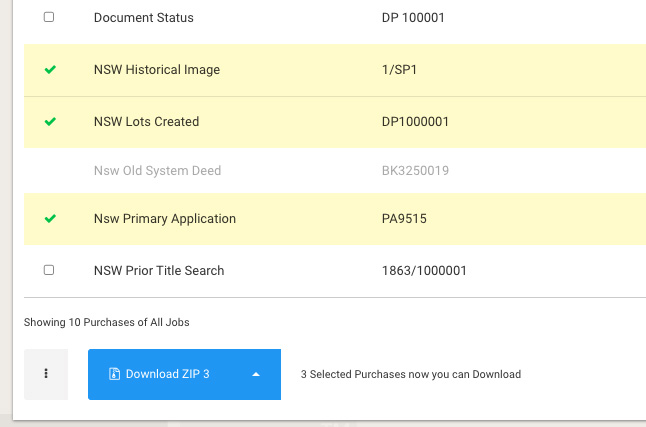
Select and download
Easily click through your purchases and create a download as a ZIP of your selection.
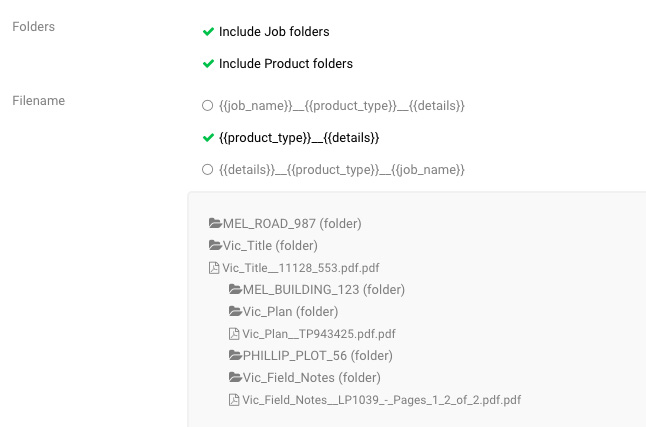
Filename options
Choose a filename format that suits your organisation and optionally include folders for Job and Product types. A preview helps you see what the results will look like. This is remembered for your login.
Email Purchases
Select any number of purchases and we will email all of the PDFs as a ZIP file to a recipient of your choice. You can also choose to CC in another person.
Merge purchases to print
Select purchases and merge them to a single file - especially handy to download and send to print.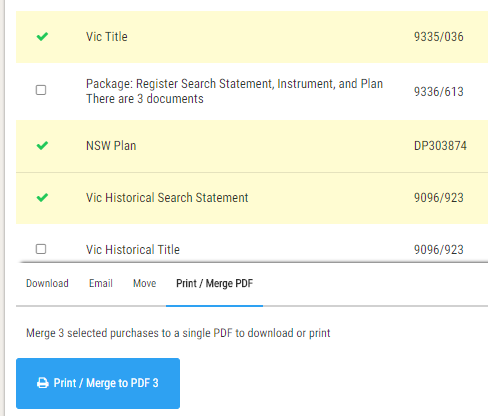
QLD Dealings now show extended details (Lot/Plan)
Information contained within a QLD Dealing is now displayed in a new column, giving clear information around the dealing contents such as Lot/Plan numbers.
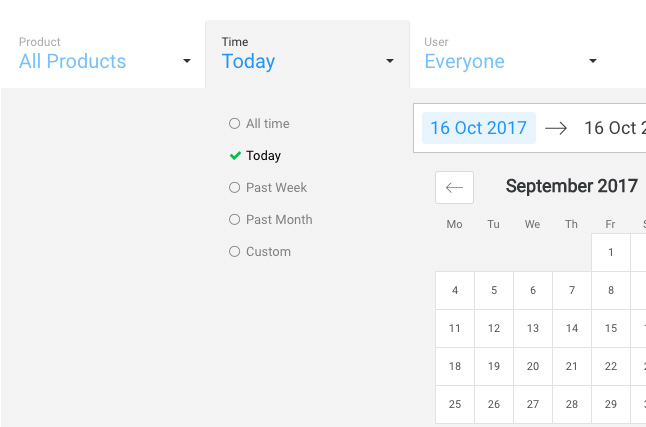
Filter your purchases
New filters give you fine grain control over your purchases to more easily find purchases by Job, Product, Date, or User.
We realise this is a big change. If you would like to let us know how we can improve it for you, please let us know.
Comments
0 comments
Please sign in to leave a comment.