
Ensure you have Administration rights to Add a user, if you don't you will need to see your Organisation Administration.
Select the 'Admin' tab on the top of your home screen.
To add users select the '+Add Users' button  located under the active and inactive users in your organisation.
Proceed to fill out the employees details you're wanting to add as a user.
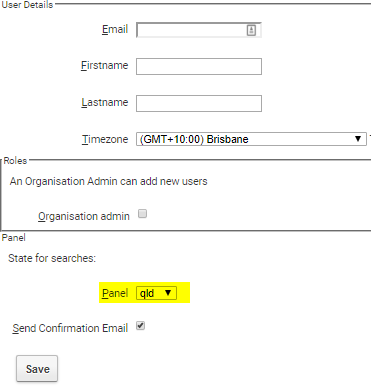
*ensure you set the State you're wanting as your default home screen by changing the State in Panel.
Select 'Save'.
Comments
0 comments
Please sign in to leave a comment.